Windows 10 & 11

Storage health you can rely on.

Diskoria is a portable Windows utility for sector scanning, full-disk verification, volume speed benchmarking, and SMART health checks — all in a clean, fast interface that requires no installation.
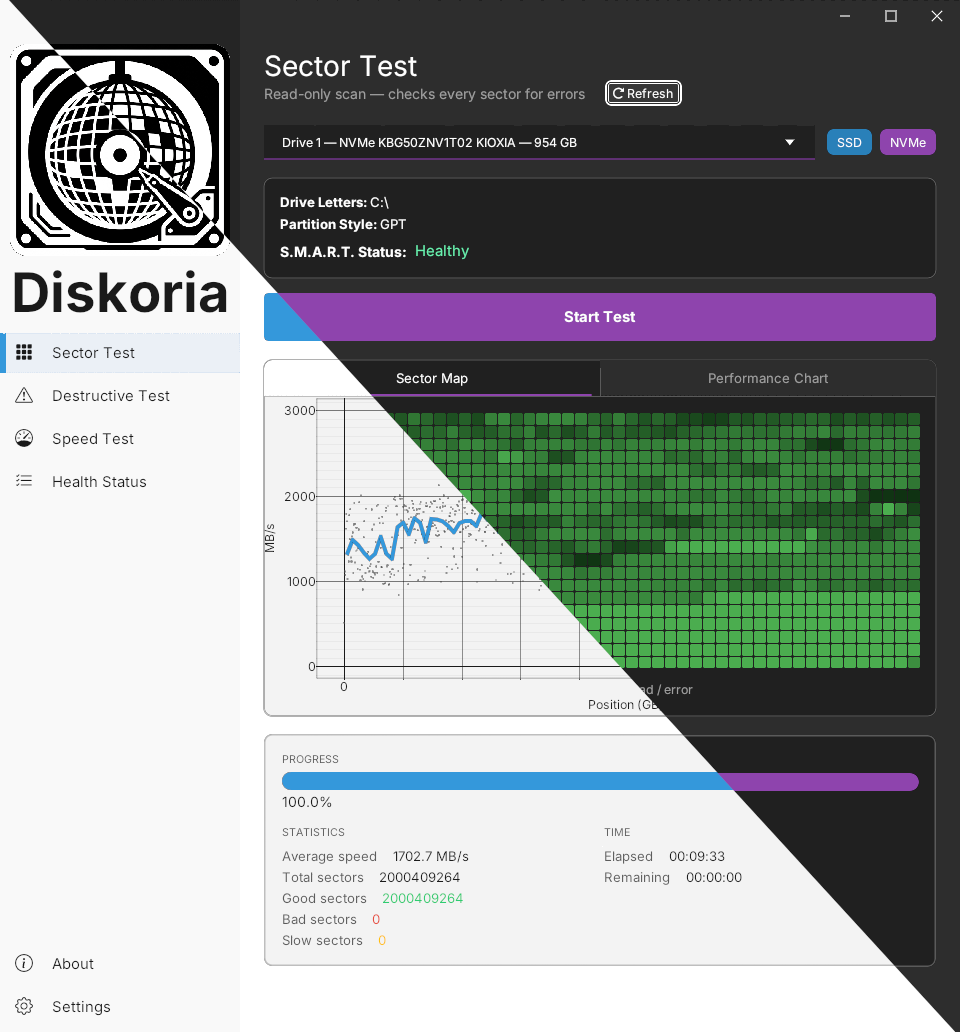
Diskoria application screenshot
Single portable .exe — no install required
3
Tests
1
Executable
0
Dependencies
Free
For personal use
What it does

Everything your drives need

Three test modes and deep drive health monitoring cover the full spectrum of storage visibility — from safe read-only scans to thorough destructive verification.

Sector Test

Sequentially reads every sector of a physical disk in 1 MiB aligned chunks. Reports good, slow (≥200 ms), and bad sectors with a real-time heatmap grid — without touching your data.

Read-only · Non-destructive

Speed Test

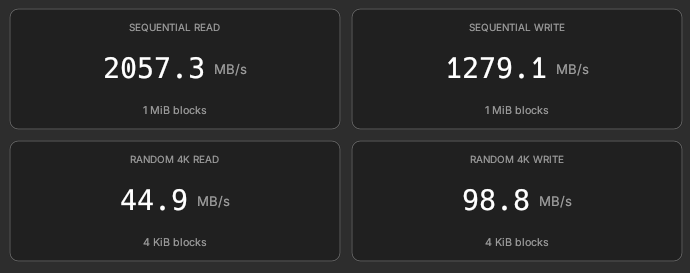
File-based benchmarks on any volume: sequential read & write plus random 4 KiB I/O. Workload profiles are automatically tuned for NVMe, SATA, USB, and removable media.

Temp file only

Destructive Test

Writes a deterministic pattern to every sector, then reads it back to verify. Locks and dismounts all volumes before writing. Use to fully certify or sanitize a disk you intend to wipe.

Erases all data

Health Status

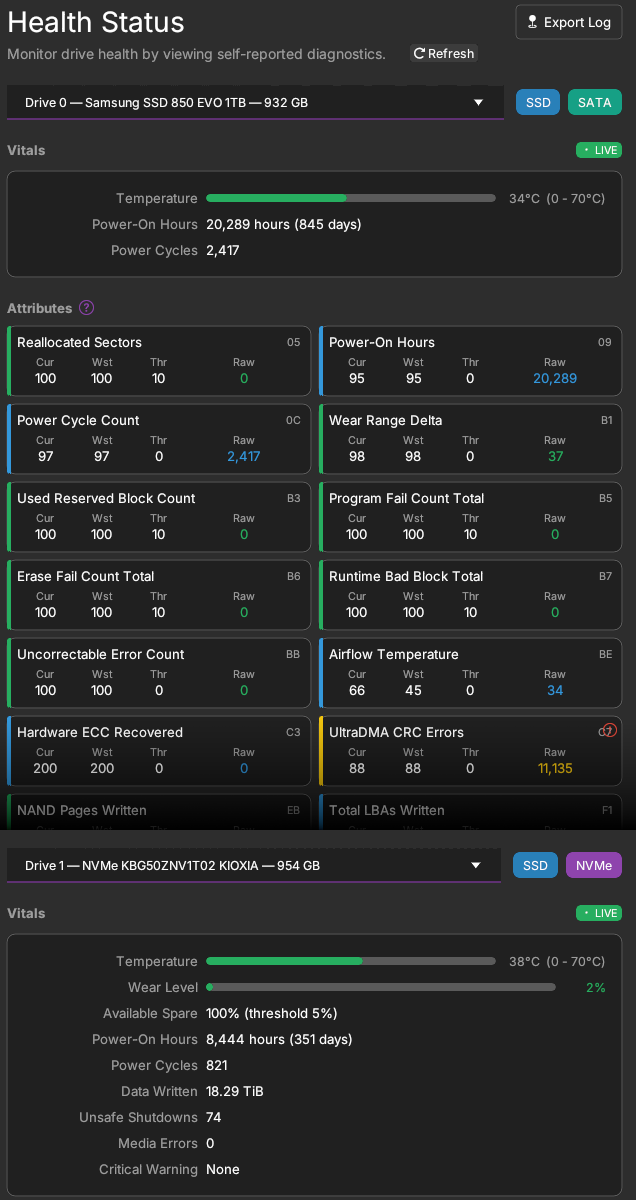
Detailed SMART and NVMe attribute monitoring — power-on hours, reallocated sectors, unsafe shutdowns, temperature, error counts, and more, all in one dedicated view. Exportable as a log file.

Read-only

See it for yourself

Clean, dense information — no wasted space, no popups, no installer.

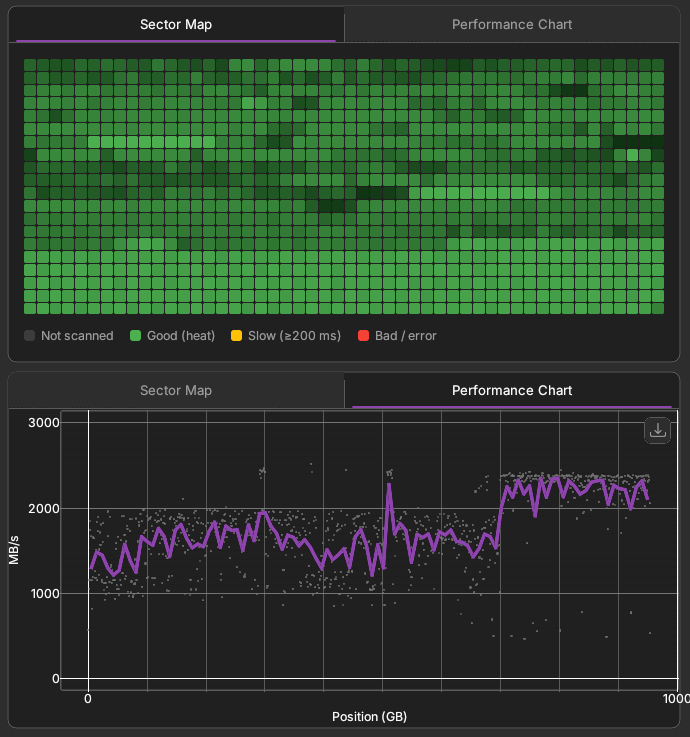
Sector Test heatmap and performance chart
Sector Map & Performance Chart 1000-cell heatmap with per-cell average read times and a live performance line chart
Sector Test results panel Speed Test benchmark results
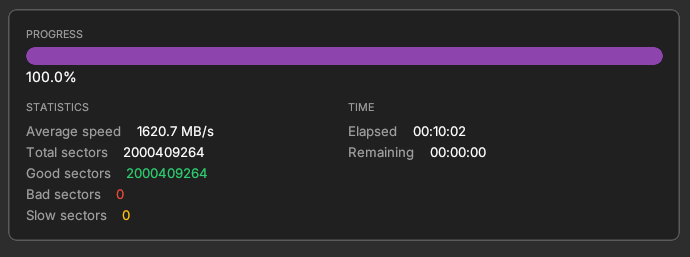
Results & Benchmarks Sector test statistics (good/bad/slow sectors, average speed) alongside speed test throughput cards
Health Status page showing SMART and NVMe attributes
Health Status Full SMART and NVMe attribute breakdown — power-on hours, reallocated sectors, error counts, temperature, and more
Full application window with sidebar
Application Overview Sidebar navigation, drive selector, SMART status, and customizable accent color theme
Reading the Sector Map

Each of the 1000 cells represents a contiguous span of the disk's capacity in address order. Color encodes both correctness and speed in a single glance.

Not scanned — pending or not yet started
Good (heat) — darker = slower, brighter = faster
Slow — average read ≥ 200 ms
Bad / Error — at least one read failure

Export

Save your results

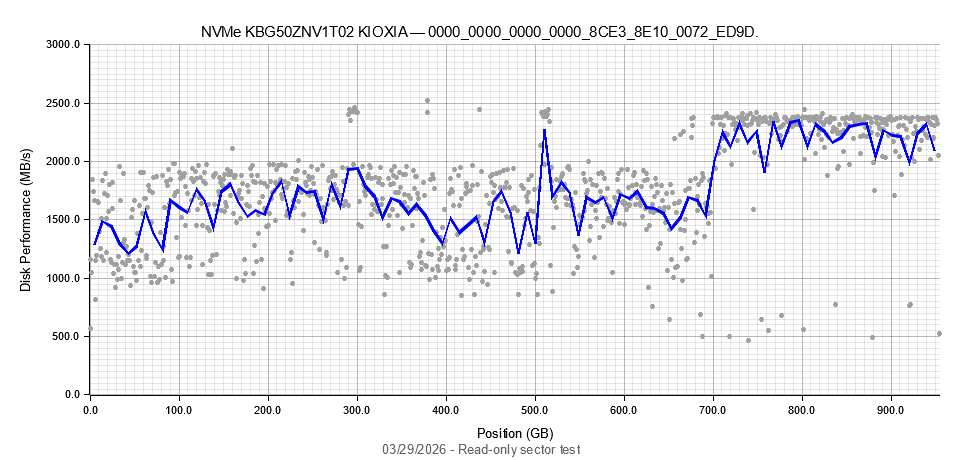
Performance charts can be exported as a PNG file — handy for record-keeping, comparisons over time, or sharing results with a team.

Exported performance chart
Exported Chart A full-resolution PNG of the read performance chart, including drive info, scan date, and position along the disk

Compare

Choose the right test

Three different approaches for three different scenarios. When in doubt, start with Sector Test.

Test
Best for
Sector Test
Safe
Diagnosing media and cabling issues on a live system
Destructive Test
Destructive
Certifying refurbished drives or secure erasure before disposal
Speed Test
Safe
Benchmarking a volume's real-world throughput before deployment

Ready to see what's on your drives?

Download the single portable executable. No installer, no dependencies — just run it elevated and go.